
Unlock, protect and edit your PDFs on iOS
Remove a password you know, add a new one, and use 22 tools to merge, compress, split, sign and redact. On iPhone and iPad, with your files processed on the device.

Passwords, the two things it does every day
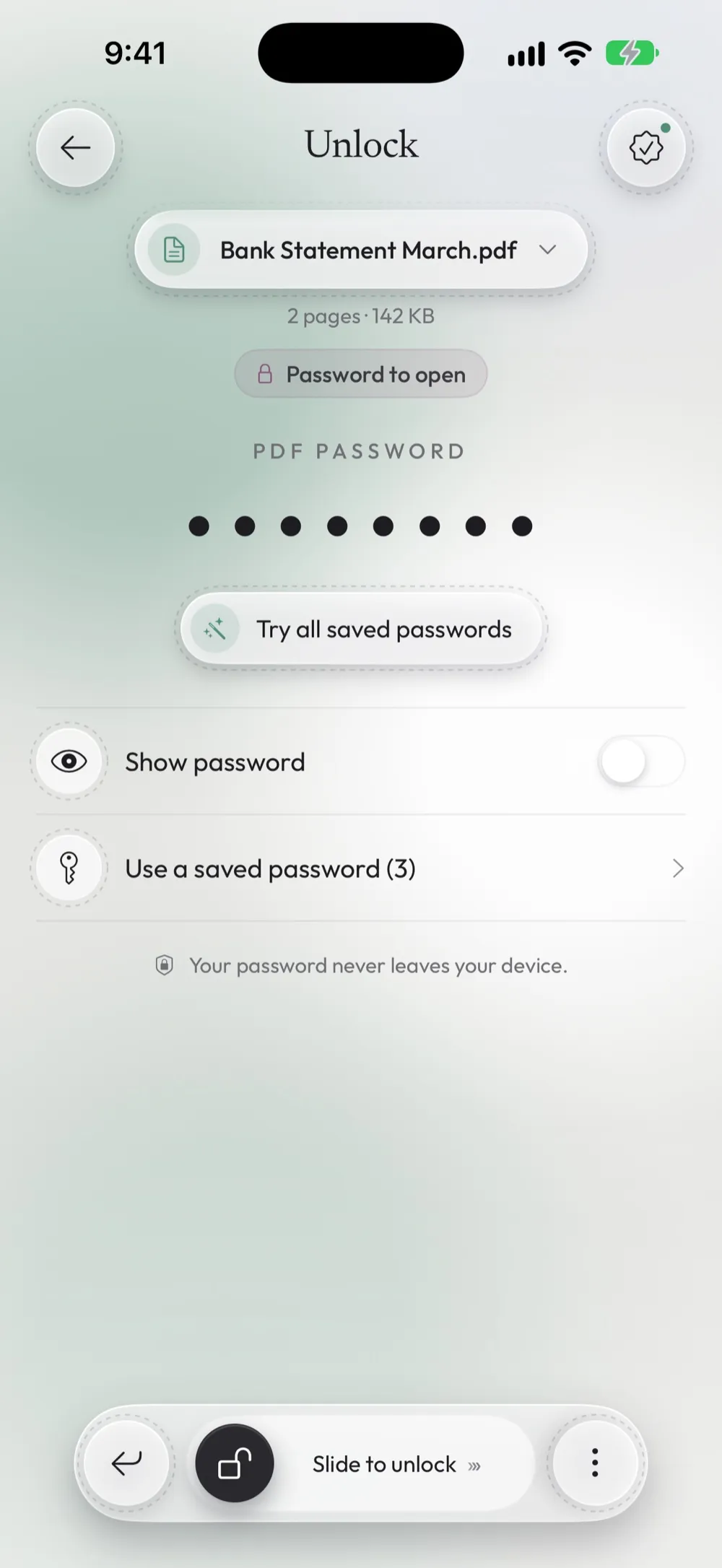
Unlock
Type the password you know once and get a copy that opens without it, ready to share or print. It also lifts printing and copying limits when you have the owner password.
How to remove a password from a PDFProtect
Add a password before you send a payslip, a contract or a medical report. The PDF is encrypted with AES-128 and a meter shows how strong your password is.
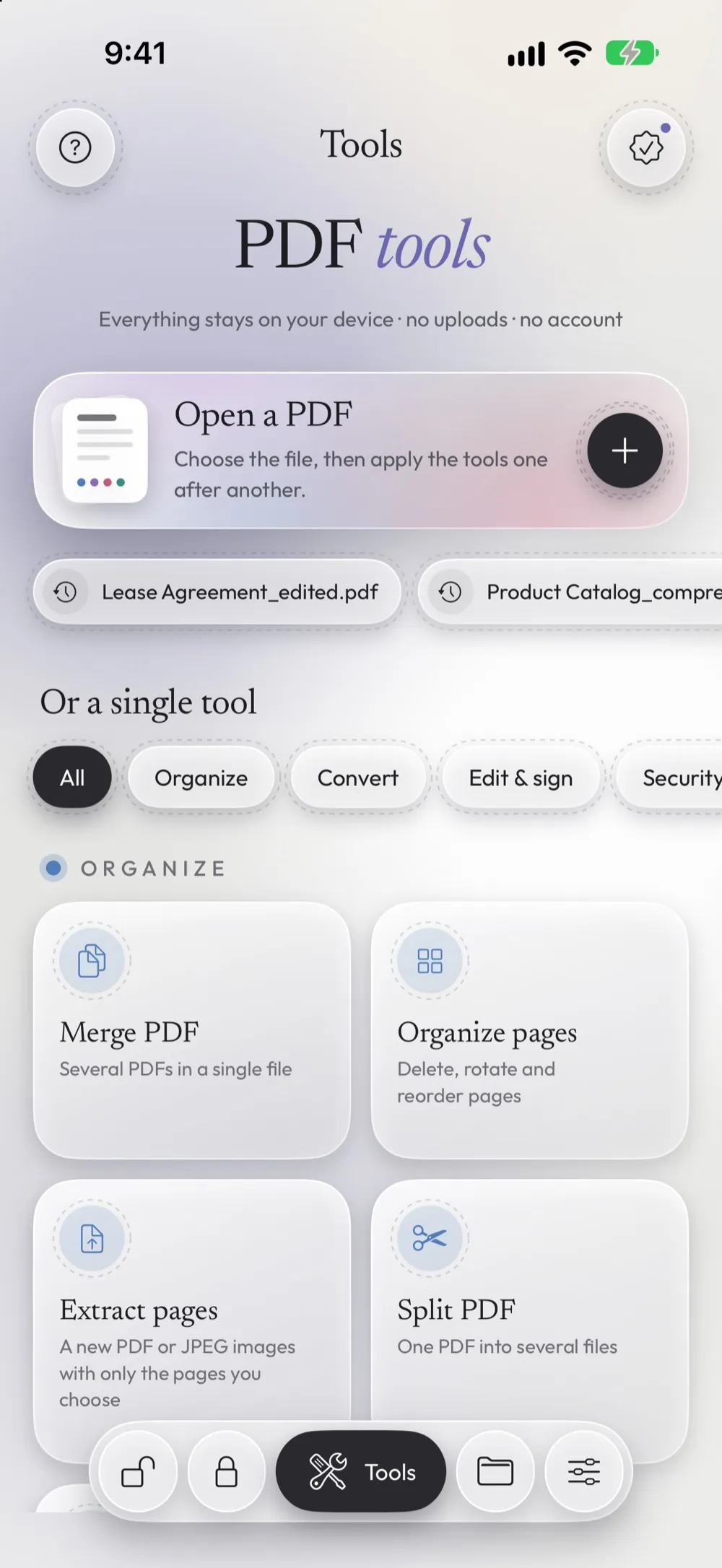
How to password-protect a PDF22 tools for everything else
Each tool has its own guide with the steps and screenshots from the app. Tools marked PRO are part of Premium.
Organize
Convert
- Compress PDF Reduce the size for email and uploads
- Photos to PDF Photos and images (HEIC too) into a PDF
- Scan to PDF Paper documents with the camera
- PDF to images Each page as JPG or PNG
- PDF to text Get the text, scans included
- Recognize text (OCR) PRO Make scanned PDFs searchable
Security & privacy
- Redact PRO Hide sensitive text for good
- Permissions PRO Block printing, copying or editing
- Remove metadata PRO Author, app and dates hidden in the file
- Flatten PRO Forms and notes can no longer be edited
Edit & sign
- Sign PDF Draw your signature and place it
- Fill form Type into the fields of a PDF form
- Add text or image Put a note, a logo or a stamp on a page
- Watermark PRO Mark every page, e.g. CONFIDENTIAL
- Page numbers PRO Number the pages in one tap
Automation
- Unlock several PDFs PRO Same password for all, e.g. monthly statements
- Protect several PDFs PRO One password for many files
Your PDFs stay on your device
Processed on the device
Unlocking, compressing and redacting run on your iPhone or iPad. The app has no servers that receive your files.
No account
No sign-up and no email address. Open the app and choose a PDF.
Passwords in the Keychain
Saved passwords are kept by iOS and shown only after Face ID or your passcode.
Only passwords you know
The app opens a protected PDF with the password you type. If you don't know the password, it can't open the file.
Popular guides
Free to use, with limits you can see
You know before you start whether a tool is free. No paywall after the work is done and no watermark on your files.
Free
With ads
- 3 unlocks and 3 protections a day
- One tool a day after a short video
- Files processed on your device
Premium
Monthly or yearly, with a free trial on the yearly plan
- Unlimited unlocks, protections and tools
- PRO tools: redact, watermark, batch, OCR and more
- Library, saved passwords with Face ID, Shortcuts, no ads
Get Unlock my PDF for iPhone and iPad
Requires iOS 16 or later. Available in English, Italian, German, Spanish, French, Portuguese, Russian, Japanese and Chinese.